What Is a Telematics Control Unit (TCU)? How It Works in Commercial Vehicles
Every truck and bus on the road today generates a constant stream of data: engine speed, fuel use, fault codes, location and driving behaviour. For a fleet owner or a vehicle manufacturer, the question is not whether that data exists. It is whether anything on the vehicle is capturing it and sending it somewhere useful. That job belongs to the telematics control unit, or TCU.
For commercial vehicles in India, this is no longer optional. Under notification G.S.R. 1095(E), dated 28 November 2016, the Ministry of Road Transport and Highways required public service vehicles to carry a vehicle location tracking device and one or more emergency buttons. A later notification, S.O. 5454(E) of 25 October 2018, made this mandatory under Rule 125H of the Central Motor Vehicles Rules, with the devices required to meet AIS 140. The technical requirements for these devices are set out in AIS 140, the Automotive Industry Standard published by the Automotive Research Association of India (ARAI). A TCU sits at the centre of how fleets meet these rules, and of how they get far more value from their vehicles than compliance alone.
What Is a Telematics Control Unit?
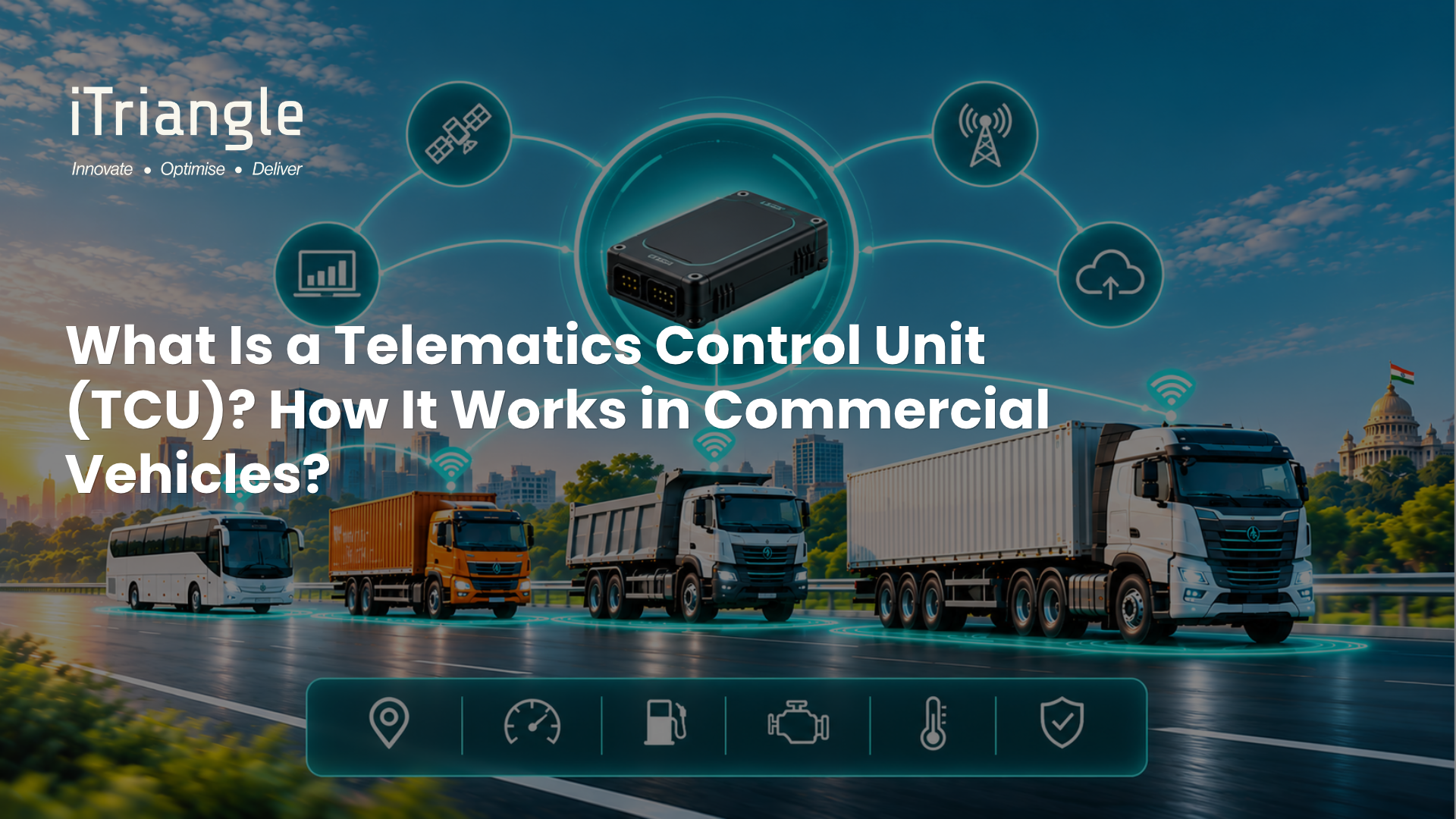
A telematics control unit is an embedded device installed in a vehicle that collects data about the vehicle's location, condition and usage, processes it, and sends it to a remote server over a cellular network. Geotab describes it as a small on-board computer that can report on almost any detail of a vehicle's condition, location or usage, and that can also receive remote commands and updates. In commercial vehicles, the TCU is the piece of hardware that turns a truck or bus into a connected asset that a fleet manager or manufacturer can monitor from anywhere.
TCU vs. GPS Tracker vs. OBD Device
These three terms are often used interchangeably, but they describe different levels of vehicle integration.
GPS tracker
A basic GPS tracker focuses on where the vehicle is: position, speed, movement and ignition status. It is the right tool when location is the main requirement, such as theft recovery or simple route visibility.
OBD device
An OBD device plugs into the vehicle's on-board diagnostic port, which makes installation quick and suits light commercial vehicles and mixed fleets. Capable OBD devices go well beyond location: iTriangle's OBD II device, for example, combines plug-and-play installation with CAN support and OTA/FOTA updates.
Telematics control unit
A TCU is typically hardwired into the vehicle and connects directly to the vehicle's internal network. It reads engine and diagnostic data, processes it on the device, and is built for continuous duty in harsh operating conditions. This is the standard choice for heavy trucks, buses and OEM factory-fit programmes.
What's Inside a Commercial Vehicle TCU
A commercial-grade TCU brings several components together in one rugged housing. Geotab's TCU overview lists most of them:
- GNSS receiver: determines the vehicle's position from satellite navigation signals.
- Cellular modem and antennas: send and receive data over mobile networks, with 4G LTE increasingly the default in new devices.
- Microcontroller: runs the firmware that filters, processes and packages vehicle data.
- Vehicle network interface: connects to the vehicle's electronic control units over CAN.
- On-board memory: stores records when the network is unavailable, so no data is lost.
- Power management: regulates the supply from the vehicle's electrical system.
- Security module: protects data while it is stored on the device and while it is transmitted.
How a TCU Works
Step 1: Read data from the vehicle network
Modern vehicles run on a Controller Area Network (CAN), the in-vehicle communication standard defined in ISO 11898. In heavy-duty trucks and buses, electronic control units commonly communicate using SAE J1939, a higher-layer protocol built on CAN that gives manufacturers a common language for engine, transmission and diagnostic messages. The TCU listens to this network and reads parameters such as engine speed, fuel rate, coolant temperature and diagnostic trouble codes.
Step 2: Combine it with location and motion data
The TCU adds its own GNSS position and motion sensor readings, so every engine event is tied to a time, a place and the way the vehicle was being driven, such as harsh braking or rapid acceleration.
Step 3: Process data at the edge
Instead of streaming every raw signal, the TCU's firmware filters and interprets data on the device and decides what needs to be sent. For example, the device can work out idling time from engine speed, or flag harsh braking from accelerometer readings, and send only the result. This reduces data volumes and keeps the device useful in areas with weak coverage. iTriangle's aQuila Edge firmware is built for exactly this: efficient vehicle data acquisition and over-the-air ECU updates, with reliable operation in low-network areas.
Step 4: Store and transmit
Processed data is sent over the cellular network to a cloud platform. When coverage drops, the TCU stores records locally and sends them once the connection returns. iTriangle's UX101-AL, for example, can store up to 1,00,000 records.
Step 5: Turn data into alerts, reports and actions
On the platform side, the data becomes live tracking, alerts, maintenance reports and compliance records: a geofence breach, a sudden drop in fuel level that could signal theft, an engine fault code, or a temperature excursion in a refrigerated truck fitted with sensors. Communication also runs the other way: the TCU can receive remote commands and firmware updates from the fleet or manufacturer.
What a TCU Captures in Commercial Vehicles
- Location and route history, including stops, idling and geofence events.
- Engine and vehicle parameters read from the CAN network.
- Diagnostic trouble codes: iTriangle's UX101-AL captures DM1 and UDC fault codes for in-depth diagnostics.
- Fuel-related data, from the vehicle network or from connected fuel sensors.
- Driver behaviour, such as harsh acceleration, harsh braking and over-speeding.
- Compliance events, such as emergency button alerts on public service vehicles.
Why This Matters in 2026
Three pressures are making the TCU a strategic decision rather than a box-ticking purchase.
- Compliance: Tracking devices and emergency buttons are mandatory for public service vehicles, so fleets need hardware that meets AIS 140 today.
- Maintenance cost: Remote fault-code reading lets fleets act on a problem before it becomes a highway breakdown.
- Software-defined vehicles: As more vehicle functions move into software, manufacturers need a reliable on-board channel to update ECUs over the air.
Conclusion
A telematics control unit is the bridge between a commercial vehicle's internal network and the people who run, maintain and build it. A basic tracker shows where a vehicle is. A TCU shows how it is running, what is going wrong and how it is being driven, and it gives manufacturers a channel to update the vehicle remotely. For Indian fleets and OEMs, the right TCU combines compliance, 4G connectivity, CAN access, local storage and over-the-air updates in hardware built for Indian roads.
If you are planning a fleet rollout or an OEM telematics program and want to see how the UX101-AL series fits your vehicles, talk to iTriangle's team for a product walkthrough.